How it works
From "what's scheduled" to "it's handled."
Milava keeps one current plan for the kids and moves it through a quiet loop: see it, understand it, act on it, and confirm it's handled. Trouble shows up early, while there's still time to fix it.
See the whole plan
You set the standing pattern once: school days, regular care hours, the weekly activities. After that you only touch the exceptions: a day off, a swap, a sitter for Saturday evening, a grandparent Friday. Playdates, practices, and one-off plans go in the same place, so the plan covers everything the kids are doing.
You can also type plans the way you'd text them — "maya babysitting saturday 6-10" — and Milava shows you exactly what it understood before anything is saved. AI features are optional and can be turned off entirely in Settings.
Get the current answer
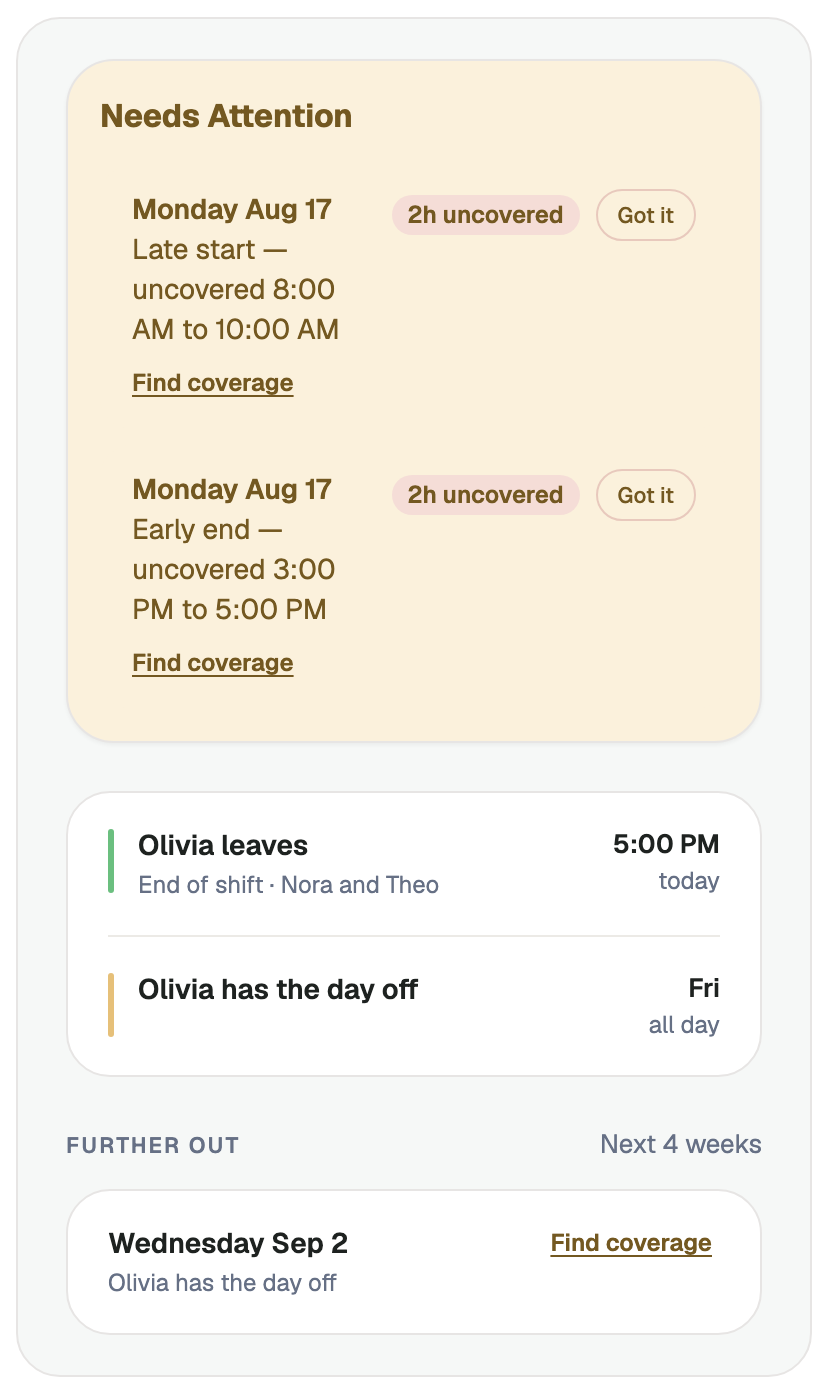
The home screen is one calm sentence: who has the kids, until when, and who's next. Today's plan sits right below it, and anything new that needs your attention is pinned where you'll see it.
See uncovered time early
When a day has nobody on it, the gap is marked plainly on the day, the week, and the month, and uncovered time shows on the Now screen up to four weeks ahead. Spotting gaps is free, always, for every family.
Act — and close the loop
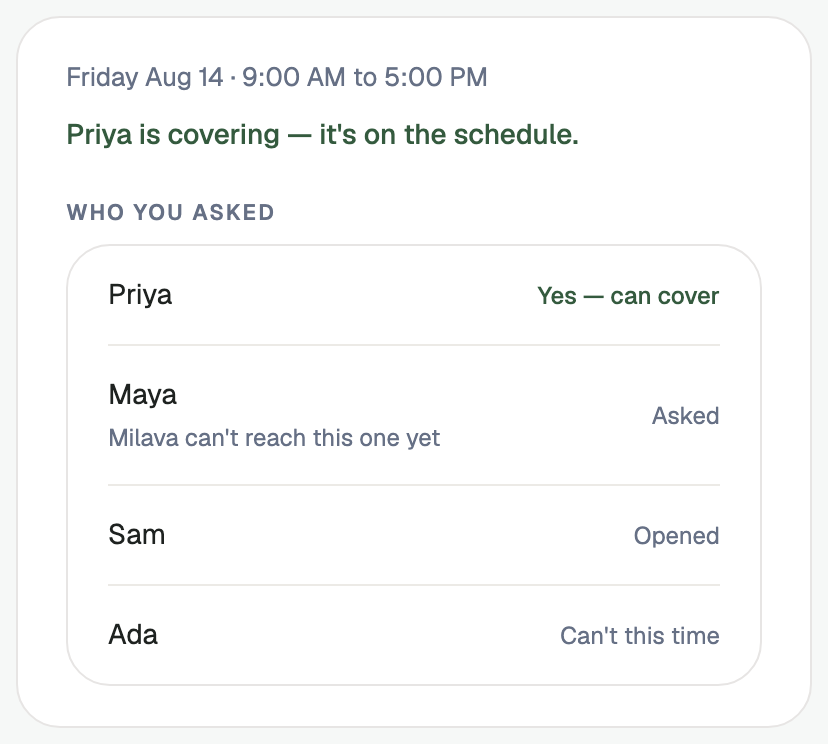
With Milava Premium, a gap becomes an ask: pick from your own backup caregivers, trim the ask to the hours you actually need, and send it. They answer from a link in one tap, with no app or account to set up. When help lands, the hours go on the schedule, the gap clears, and everyone sees who stepped up.
Milava counts the job done only when the plan is handled and the schedule shows it. Until it's settled, the day stays honest: you can see who's been asked, who's seen it, and who can't this time.
Let Milava look ahead
Premium families end the day already knowing tomorrow: the evening preview, a morning briefing, and a weekly look ahead. A traveling parent's flight carries delay and landing alerts, right where the family is already looking.
Bring in everyone who helps
A sitter, grandparent, or nanny who signs in gets a simpler view made for them: their schedule, each kid's allergies and emergency contacts, time-off requests, and a short end-of-day note. Caregivers never pay. More for caregivers →
Common questions
How does the schedule get into Milava?
You set the standing pattern once: school days, regular care hours, weekly activities. After that you only touch the exceptions: a day off, a swap, a sitter on Saturday. You can also type plans in plain words, like "Maya babysitting Saturday 6 to 10," and confirm what Milava understood before anything is saved.
What happens when a day loses its coverage?
The gap is marked plainly — on the day, on the week, and on the month — and uncovered time shows on the Now screen up to four weeks ahead, so you see it while there's still time to fix it. Spotting gaps is free, always. Premium families can then turn the gap into an ask and send it to their own backup caregivers.
Do both parents see the same thing?
Yes. Parents and caregivers all see the same current plan. When one parent takes pickup, it's one tap — and everyone sees it. When a backup covers a gap, the hours land on the shared schedule and the family sees it's handled.
Coming this fall